Home/Platform
Features
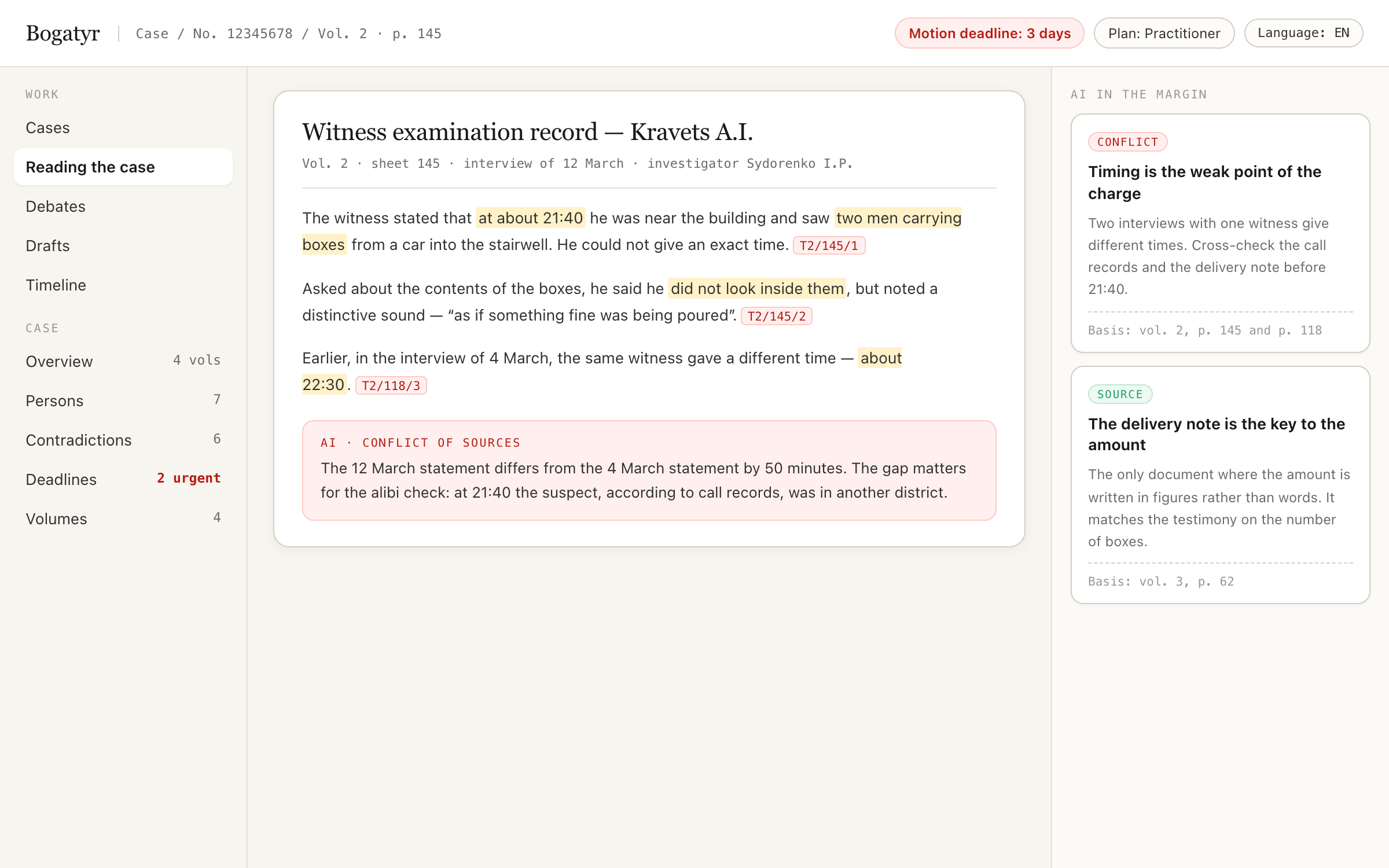
The platform brings multi-volume files together into one working environment: search, a relationship graph, contradictions, deadlines, document drafts and adversarial review of the analysis. It works in the browser, in the apps and in Telegram.
Core
A question about the case brings an answer with references to volume, page and paragraph. Each reference opens a real fragment, not a paraphrase.
Who is connected to whom, where each is mentioned, how they relate to one another. Name-entity resolution is part of the engine, not manual work.
It stitches together testimonies, expert reports and documents across all volumes and highlights discrepancies with a priority: what to tackle first.
A chronology of events grounded in the pages: you can see where the prosecution's version diverges from the files.
The date is computed by deterministic code from confirmed data, not by the model. Reminders arrive in Telegram and in the app.
Motions, requests and appeals based on jurisdiction templates. A document is created as a draft and approved by a human.
Checking third-party documents and your own drafts: where a claim is not supported by the file, and where it relies on a copy instead of the original.
Disputed pages go into a manual review queue. You can see which pages were recognised with confidence and which need a lawyer's eye.
Files, a folder, scans from a phone, Google Drive. Bulk import of volumes runs on the firm's server, not through the relay.
Competing versions, a «for/against» matrix, the discriminating document.
A reference to an article → the edition in force on the day of events; a warning if the provision has changed. Ukraine, the UK, the EU.
«Nothing missed» in numbers: how many pages are processed, what awaits manual OCR review, which claims stand without a citation.
The analyst's and sceptic's replies appear as they are ready; you see the current step and how long it has been running.
Analysis based on the materials known on the chosen date, without the final decision — for appeals and preparing a position.
Functional Capabilities
Every feature is designed for real legal workflows — from financial investigations to working in the courtroom without internet. With a clear boundary of responsibility: AI proposes — lawyer confirms.
Proposes a proof matrix from the case materials: arranges existing facts, volume pages and contradictions into columns with the burden of proof. The lawyer confirms each row; the table can be exported to DOCX as an annex to procedural documents.
How it helps the lawyer: Eliminates hours of manual evidence assembly and instantly highlights which facts in the prosecution's or opponent's position lack documentary backing.
Boundary: AI proposes — lawyer confirms | rules — based on jurisdiction guide
Performs word-by-word alignment of clauses across two documents or drafts, highlighting insertions, deletions, and moved text. Automatically checks for changes in deadlines, interest rates, penalties, and vague phrasing.
How it helps the lawyer: Shows what changed in a new version of a contract, settlement or procedural document and flags places worth checking: shifted obligations, deadlines, penalties, jurisdiction.
Boundary: AI highlights risks — term decisions remain with the lawyer
Enables text highlighting on scans and volume pages, margin notes, and quick bookmarking of key paragraphs. Annotations are displayed directly in the document margins with author attribution.
How it helps the lawyer: Streamlines team collaboration on multi-volume cases and allows exporting volume materials to DOCX with preserved margin comments.
Boundary: lawyer notes separated from AI | private annotations hidden from clients
Searches Supreme Court of Ukraine positions and judgments of the courts of England and Wales (Find Case Law) from open data; ECtHR judgments are added manually by the lawyer. A judgment chosen by the lawyer is attached to the case with an exact reference, and case-law references in drafts are checked against the index.
How it helps the lawyer: Strengthens the lawyer's position with relevant caselaw and protects procedural documents against false or distorted citations.
Boundary: ECHR — manual entry by lawyer only | references verified by code
Extracts audio tracks from court hearing or interrogation recordings, splits them into chunks, and transcribes text with second-level accuracy. Diarization separates speakers and suggests procedural roles.
How it helps the lawyer: Converts multi-hour hearing recordings into structured text transcripts with verified timestamps like [Audio N, hh:mm:ss].
Boundary: transcript is a draft | speaker procedural roles confirmed by lawyer
Assembles a unified witness dossier across all testimony in transcripts and audio, spots contradictions, and prepares question checklists. In court, instantly searches case files for spoken phrases without AI calls.
How it helps the lawyer: Equips lawyers with instant facts and targeted questions live during cross-examination or witness interrogation.
Boundary: AI questions strictly rely on 2 case pages | status checked by lawyer
Analyzes investigative protocols and expert reports using algorithmic procedural rules. Detects nighttime searches, recurring witnesses, chain of custody breaks, and date discrepancies.
How it helps the lawyer: Automatically uncovers procedural flaws in evidence gathering and drafts motions for evidence exclusion.
Boundary: code rules propose flags — lawyer approves motion
Maintains detailed tracking of hours and tasks with auto-applied firm hourly rates. Calculates totals and generates statements for court cost reimbursement.
How it helps the lawyer: Automates calculation sheets and court motions to recover legal costs from the opposing party.
Boundary: totals calculated by code | statement created as draft
Imports bank statements (1C, Excel, CSV) with automatic balance and turnover validation. Builds financial transaction graphs and flags scheme indicators (transit, structuring, asset stripping).
How it helps the lawyer: Visually maps payment flows between entities, reveals hidden connections, and assists in insolvency and damages litigation.
Boundary: scheme signs are algorithmic hints | legal evaluation by lawyer
Saves volume texts, timeline, annotations, and drafts locally for offline work in detention or courtrooms. All data is encrypted using AES-GCM with a 256-bit key derived from a PIN.
How it helps the lawyer: Lets you work with a case copied in advance and search it where there is no connection.
Boundary: PIN not stored | 5 failed attempts wipe local cache
Provides clients secure access on a custom firm domain (client.lawfirm.com) to case summaries, hearing schedules, and deadlines. Allows clients to upload files via quarantine.
How it helps the lawyer: Enhances client trust and transparency without risking exposure of internal strategy or attorney-client privilege.
Boundary: domain verified via DNS TXT | client uploads enter quarantine
Receives court notices and summonses at case-code@firm_domain into "Court Incoming". Delivers daily morning deadline digests and audio summaries.
How it helps the lawyer: Prevents missed procedural deadlines and ensures prompt receipt of court communications.
Boundary: no direct E-Court integration — email ingress | lawyer approves intake
Verification
An ordinary assistant evaluates its own work. Cassation starts an argument: the analyst formulates, the sceptic attacks the logic, opposing counsel builds the position of the opposing party, and the judge issues a verdict on each claim — with references and with no right to rewrite the record.
Builds the answer from the case files.
Looks for where a conclusion does not follow from the fragments.
Plays the role of a second lawyer against you.
Records: stood, adjusted, rejected, disputed.
| Argument profile | When to use it | What you get |
|---|---|---|
| Analysis review | Before relying on a conclusion | A verdict on each claim and a risk map |
| Dispute over interpretation | A provision of law or a contract clause reads two ways | Which interpretation is more robust and where case law is needed |
| Hearing rehearsal | Preparation for cross-examination and pleadings | A list of questions from the opposing party and the judge |
| Red-teaming a document | Before sending it to a counterparty or to court | Loopholes, ambiguous wording, gaps |
| Cross-checking models | A question where the cost of error is high | A signal of legal uncertainty: the models disagree |
The line we do not cross
100% verifiability instead of 100% accuracy: every statement is either supported by a citation to a specific page of the case file, or honestly marked as unverified.
The verdict is a structure, not text
The outcome of the debates is compiled into a case risk map, tasks for revising the draft and a pre-filing checklist. The transcript is exported as a separate file for the firm's partner.
Clients
Deadlines, documents, case chat, debates, drafts, photographing a page with the camera, asking a question by voice. Offline cache: the most recent files and answers are available without a network — courtroom connectivity is poor.
in the stores, subject to platform rules: purchase only on the website
Full functionality: cases and files, debates, the graph, contradictions, the timeline, deadlines, drafts, fact-checking, administration of users and limits. The same address serves both our server and the firm's server.
Case questions with citations, sending documents and photos into the case, deadline reminders, a morning digest. In the team's group chat the bot acts as a participant: it answers, accepts files and keeps the schedule.
Deadline notifications go to the team's Telegram channel: a week before, three days before, the day before and on the day — only for deadlines a lawyer has confirmed.
the "observer" mode is turned on by the case owner and off in a single step
The client submits documents, sees the case status and approves drafts — in a separate workspace and a personal chat. Tactical and personal materials are not released to the shared chat on request.
External sources
A reference to a provision is a reference to the actual text with the revision date and a status of "in force / amended / repealed". A finding about a person of interest arrives as a card with the source, the date and a snapshot of the page.
A boundary the product does not cross
We do not connect services that dig up personal data. The reason is practical: such evidence falls apart at the first objection, because its provenance cannot be disclosed — and the firm that received it is answerable for it too.
Every query to an external source is written to the audit log: who, when, on which case and what they searched for. For the firm this is both cost control and evidence of good faith.
Team
| Role | Permissions |
|---|---|
| Administrator | Users, the server, backups, limits, chat linking |
| Partner | All the organisation's cases, document approval, cost control |
| Lawyer | Own cases: analysis, debates, drafts, approval |
| Assistant | Uploading files and viewing; cannot approve documents |
| Client | Only their own case: submit documents, see the status, approve a draft |
Every significant action goes into the audit log: who, what, when.